NekaShannell Designs
Glam Doll Studio Business Creator Prompt Builder
Glam Doll Studio Business Creator Prompt Builder
Couldn't load pickup availability
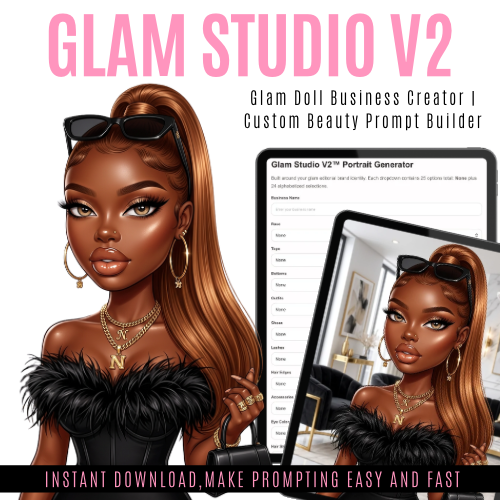
Glam Studio V2™ by NekaShannell Designs is a luxury AI portrait generator designed to create ultra-polished glam doll images with full customization. Build your signature look using dropdowns for hair, outfits, makeup, nails, and more — or enter your own custom styles for complete creative control.
Perfect for digital creators, brand owners, and anyone looking to create high-end, beauty editorial-style AI visuals.
✨ How to Use
Enter your business name (optional for branding).
Select options from the dropdowns (or use custom for your own ideas).
Click Generate Prompt.
Copy the prompt and paste it into your AI image generator (Canva, Flow AI, Bing, etc.). For results like mine, use FLOW AI
Generate your image and customize as needed.
This is a digital product; no physical product will be shipped. All sales are final, no refunds
How to Use the HTML File
On a laptop:
Download the HTML file to your computer.
Locate the file in your Downloads folder.
Double-click the file to open it in your web browser.
If it does not open automatically, right-click the file and choose Open With, then select Chrome, Safari, or Edge.
Use the dropdowns and text boxes inside the generator.
Click Generate Prompt to create your prompt.
Copy the prompt and paste it into your AI image generator.
On an iPad:
Download the HTML file and save it to the Files app. Either download the HTML app or
Open the Files app and find the HTML file.
Tap the file to preview it.
If needed, use the Share button and choose Open in Safari or your preferred browser.
Once open, use the dropdowns and text boxes in the generator.
Tap Generate Prompt to build your prompt.
Copy the prompt and paste it into your AI image generator.
Tip: For best results, open the file from Files or in a browser instead of only viewing it inside a message preview.
You will get a HTML (24KB) file
Share